Immigration Law Blog
Stay up-to-date on the latest immigration law news, with the Cohen, Tucker & Ades team's insights behind the headlines

Quick Summary: Using third-party AI transcription or note-taking tools (such as Otter.ai, Fireflies.ai, Zoom AI Companion, or Microsoft Teams Copilot) during confidential attorney-client consultations can inadvertently waive attorney-client privilege. Because AI assistants stream audio data to external cloud servers and third-party vendors for processing, storage, and machine-learning training, courts and ethics committees may treat this as disclosing private communications to an unauthorized third party. To protect your legal confidentiality, always obtain mutual consent before using AI tools, verify vendor data privacy terms, or disable automated AI notetakers during legal discussions.
In an era of remote consultations and automated workflows, AI note-taking apps have quickly become ubiquitous. Tools like Otter.ai, Fireflies, Zoom AI Companion, and wearable AI recording devices make capturing meeting action items effortless.
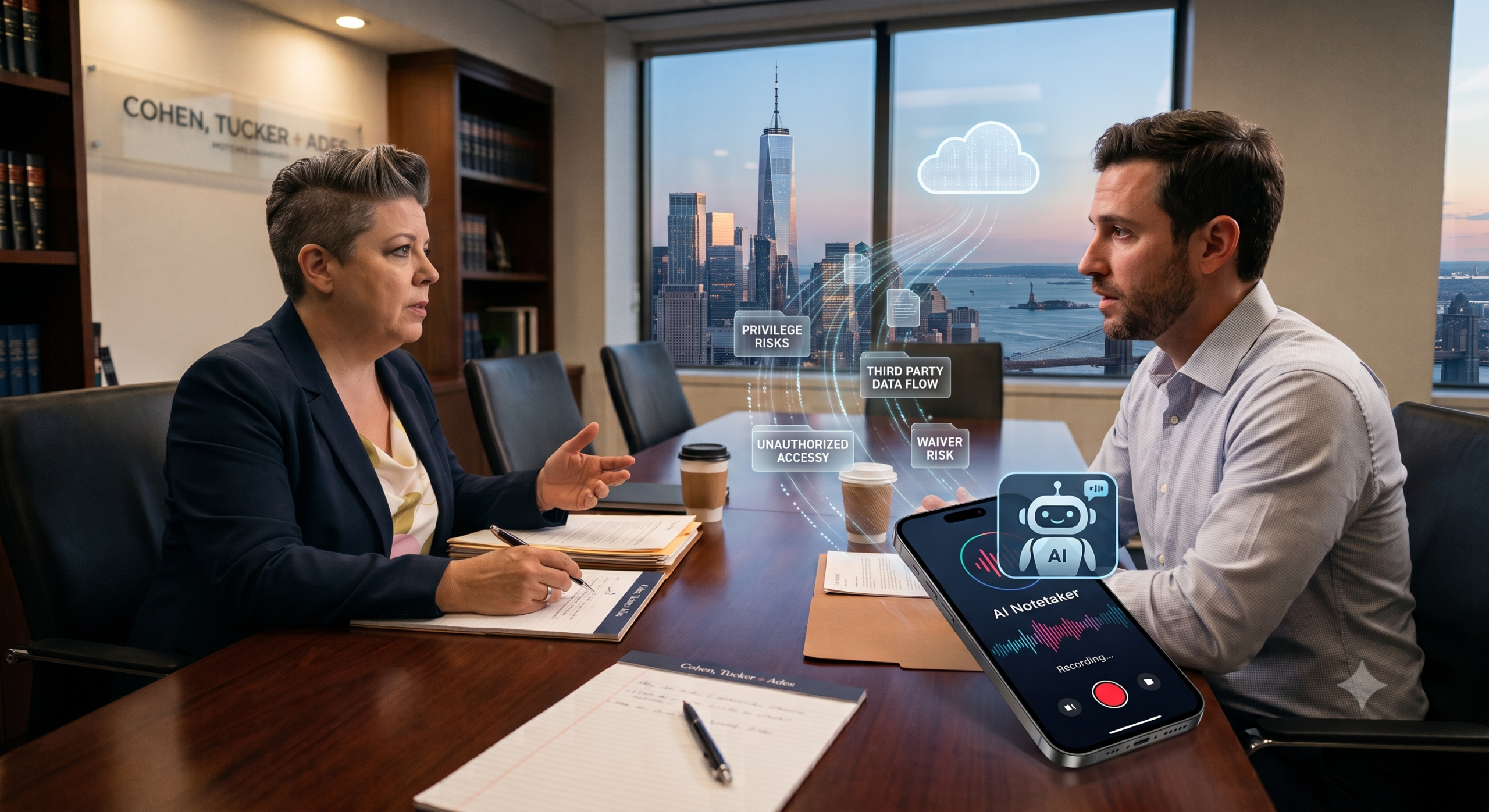
However, when an AI bot enters a meeting with your lawyer, it isn’t just an invisible assistant—it is a third party sitting in the room.
At Cohen, Tucker + Ades, P.C., where we handle deeply sensitive immigration and legal matters, client confidentiality is paramount. Below, we break down why automated AI note-taking function can put your legal privilege at risk and how you can protect your rights.
To understand the threat AI poses, you first need to understand how attorney-client privilege works under the law.
Attorney-client privilege protects confidential communications between you and your legal team. It ensures that what you tell your lawyer cannot be subpoenaed or forced into disclosure during legal proceedings.
However, privilege relies on a strict legal boundary: confidentiality.
[ Client ] <--- Confidential Communication ---> [ Attorney ]
                          |
             [ Third-Party AI Cloud Vendor ]
             *Exposes communication to waiver risk*
Under the Third-Party Disclosure Rule, if a communication is disclosed to an outside third party, the legal privilege attached to that conversation is generally destroyed or waived. Once waived, opposing counsel or government authorities could potentially demand access to the full transcript or recording.
When you or your attorney turn on an AI note-taker during a meeting, three major privacy and legal risks emerge:
Most AI transcription services do not process audio locally on your computer. Instead, the audio feed is transmitted over the internet to a cloud server operated by the AI vendor. Because an outside commercial entity now possesses and stores your conversation, courts may deem the conversation non-confidential.
Many standard consumer terms of service state that the AI provider retains the right to analyze user inputs to train their artificial intelligence models. If your sensitive personal history or legal strategy becomes part of an AI training dataset, it is no longer strictly confidential.
In many cases, client consultations involve sensitive, unvarnished facts that need legal context. Standard human memory yields notes, but AI generates verbatim, time-stamped transcripts stored on third-party servers. In litigation or government inquiries, these third-party cloud files can become targets for discovery or subpoenas.
| Feature / Scenario | Standard In-Person Consultation | Consultation with Consumer AI Notetaker |
| Who Listens? | Attorney & Client Only | Attorney, Client & Third-Party AI Cloud |
| Data Storage | Protected Lawyer Files | External Commercial Cloud Servers |
| Privilege Status | Fully Protected | Risk of Waiver |
| Subpoena Exposure | Protected by Privilege | Potentially Discoverable in Court |
Protecting your legal confidentiality doesn’t mean abandoning technology—it means using it with informed caution.
Check Your Settings Before Calls: Ensure auto-join AI bots (such as Otter or Fireflies) are toggled OFF in your calendar settings before joining a Zoom, Teams, or Google Meet call with your legal team.
Ask First: Always inform your attorney before using any recording or note-taking application.
Avoid Wearable or Mobile AI Apps: Wearable AI pins, smart glasses, or phone recording apps used during consultations pose the exact same third-party cloud exposure risks.
Update Engagement Agreements: Explicitly address the use of AI note-taking and recording in client onboarding documents.
Utilize Enterprise-Grade / On-Premise Tools: If using AI assistance, rely exclusively on closed, zero-data-retention AI tools where vendor terms explicitly state data will not be used for model training or stored externally.
Screen Virtual Waiting Rooms: Review incoming meeting attendees to ensure automated third-party AI “bots” are not sitting silently in the call.
Core Risk: Third-party AI note-taking services process data on external cloud servers, which can waive attorney-client privilege under the third-party disclosure doctrine.
Common Tools Impacted: Otter.ai, Fireflies.ai, Zoom AI Companion, Microsoft Teams Copilot, and mobile recording apps.
Best Immediate Action: Turn off automated AI bots before attending confidential attorney-client videoconferences or phone calls.
While AI offers immense efficiency gains, your rights and privacy must come first. Before inviting an automated AI assistant into a confidential consultation, take a moment to evaluate the legal risks.
At Cohen, Tucker + Ades, P.C., we prioritize protecting our clients’ information at every stage of legal representation. If you have questions about an upcoming consultation or how to handle sensitive legal documentation safely, reach out to our team today.